
Attendance and check-ins
See the check-ins.
Keep the day moving.
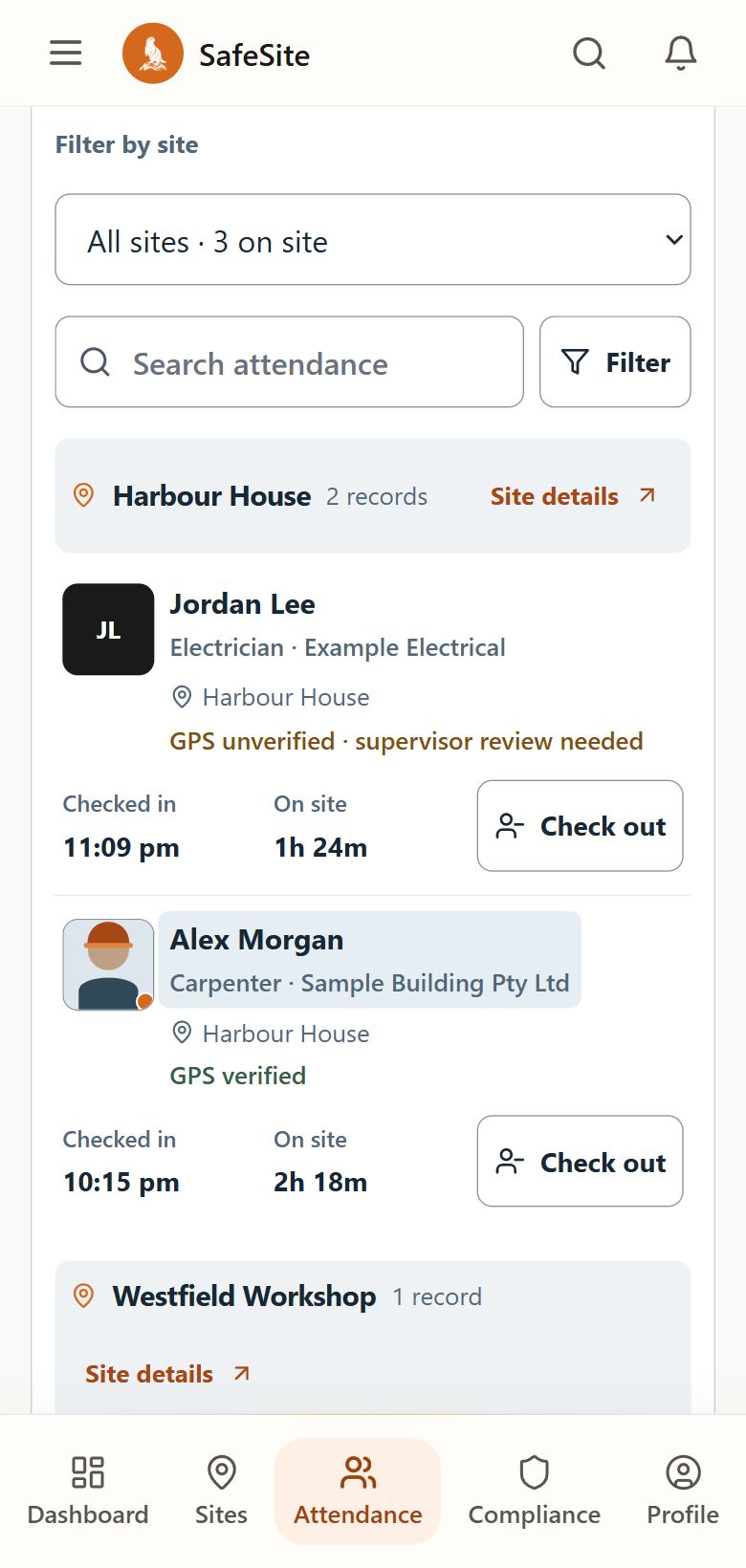
Give workers and visitors a clear QR arrival and departure flow. Review current check-ins, older sessions and location evidence in their own context.
Arrival and departure
Check in and check out against the same visit record.
Current and older sessions
Separate headcount from check-ins that need review.
Site oversight
Attendance history, exports and evacuation roll calls.
The working sequence
One visit, from arrival to departure.
The person records their visit. Supervisors and managers oversee the site’s attendance.
Open the site
Scan the site QR, or choose an assigned site from a worker account.
Site QR or assigned siteCheck in
Complete required site steps and open the attendance record.
Open visitCheck out
Close the same attendance record when leaving the site.
Departure recordedReview the day
Inspect history and review open sessions older than 14 hours separately.
History and follow-up
Record contextReading attendance and location evidence
Reading attendance and location evidence
Open sessions older than 14 hours are excluded from current headcount. Manual attendance does not create GPS, selfie or device evidence that was not captured.
Attendance does not prove exact presence or identity. Missing location can remain unverified; the geofence classifies evidence rather than categorically blocking offsite entry. Camera and location results depend on the device, browser permissions and site conditions.
In day-to-day use
Questions about site attendance.
How the steps and records fit together for your team.
What if someone forgets to check out?
Open sessions older than 14 hours are excluded from the current headcount and appear in a separate review queue. Supervisors and people with management access can follow them up without mixing these older sessions into the current roster.
Test a forgotten check-out in a demonstrationHow do check-in and check-out stay connected?
A worker or contractor starts from an assigned site and opens an attendance record at check-in. Checking out closes that same record. Supervisors can review the current roster for their sites and the separate queue of older open sessions.
Follow attendance through a site dayDoes a manual check-in include GPS or a photo?
A manual attendance record does not create GPS, selfie or device evidence that was not captured. Missing or unavailable location can remain marked as unverified. Camera and location behaviour depends on the supported device and browser permissions, so check the phones and workflow your crew intends to use.
Check devices and practical requirementsSee SafeSite with your team