
WHS management plans
A working plan.
For this site.
Prepare the site’s WHS plan, record its review and put the approved version in effect. Keep responsibilities and site arrangements together.
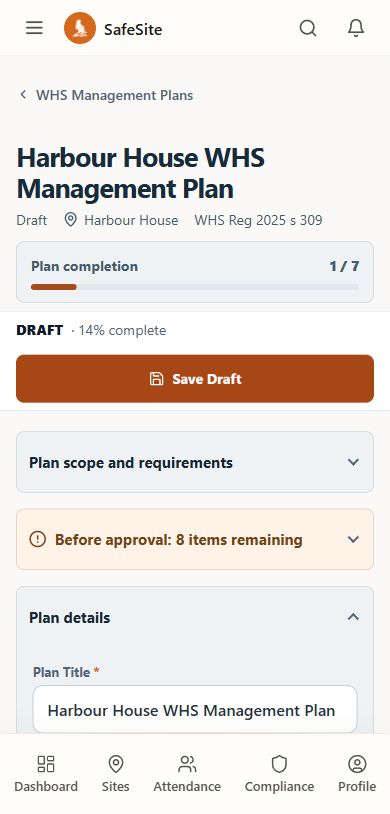
Site arrangements
Responsibilities, rules, consultation and SWMS arrangements.
Review and activation
A decision and effective date for the approved version.
Version history
Retain the plan and the decisions made as it changes.
The working sequence
From the first draft to the site reference.
The Owner or Site Manager prepares and manages the plan for the site.
Prepare
Record the site context and complete the required plan sections.
DraftReview
Submit the complete version and record the review decision.
In review → ApprovedPut in effect
Set the effective date for the approved operating version.
In effectKeep it current
Retain earlier versions as the plan is revised or completed.
Version history
Record contextPlan approval and your WHS responsibilities
Plan approval and your WHS responsibilities
SafeSite’s embedded legal framing is NSW-specific. It supports workflow and does not provide legal advice or prove compliance.
The product does not enforce a separate preparer and reviewer. Site conditions and competent-person decisions remain the team’s responsibility.
In day-to-day use
Questions about WHS plans.
How the steps and records fit together for your team.
How do we know which WHS plan is currently in effect?
SafeSite keeps the approved plan version and its effective date connected to the site. That version becomes the operating reference for the safety workflow, so your team can identify the plan in effect instead of relying on a filename or a separate copy.
Follow the plan into the site workflowWhat record is kept when a WHS plan is reviewed?
The completed plan version is sent for review, and the resulting decision is retained against that version. The record connects the decision, reviewer and plan version. Once an approved version is put in effect, its effective date remains available with it.
See what the retained records showHow does the WHS plan connect to our SWMS?
The site's WHS management plan provides the operating context. SWMS are prepared against the plan currently in effect, with their own consultation entries, controls, review decisions and assignments. Worker acknowledgements stay tied to the relevant SWMS version.
Explore the SWMS workflowSee SafeSite with your team