
Put the plan in effect
Review the WHS plan and retain the approved version’s effective date.
WHS plansHow SafeSite works
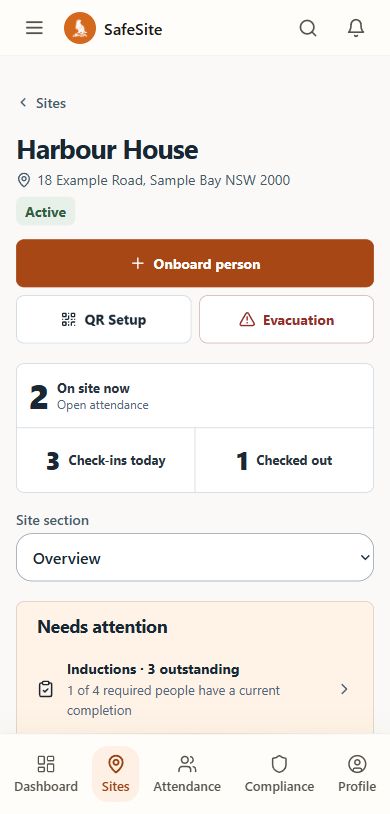
Prepare the site, bring people in and keep safety follow-up connected. The site team and office each have a part to play.
01 / Prepare
Record the responsible people, emergency details and operating arrangements. Prepare the plans and work methods the crew will use.
Owner or Site Manager
Review the WHS plan and retain the approved version’s effective date.
WHS plansKeep assessment, consultation, controls and crew assignments with the reviewed work method.
SWMSSafeSite’s embedded legal framing is NSW-specific. It supports workflow and does not provide legal advice or prove compliance.
Consultation entries are manager-recorded assertions. Acknowledgement is not statutory approval, proof of understanding, proof controls were implemented or authority to start work.
02 / Arrive
Publish the site induction. Workers, contractors and visitors complete the relevant steps; a valid completion can be recognised on return.
Site Manager, then the person arriving
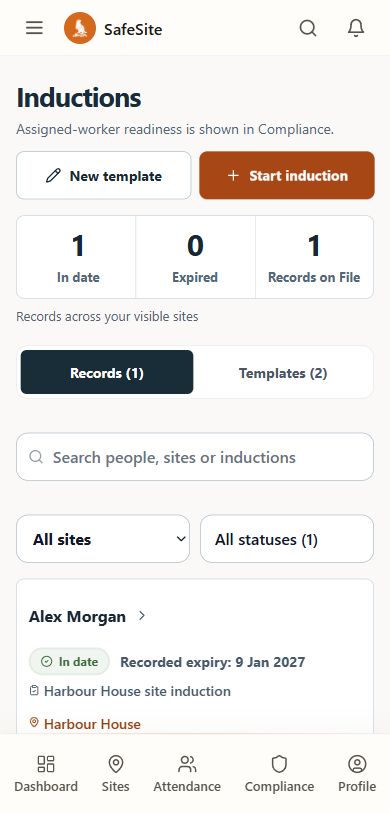
Keep the knowledge check, signature and recorded expiry with the published content version.
Site inductionsCheck-in begins the attendance record. Check-out closes that same record when the person leaves.
Arrival and departurePublishing replacement content creates a new version. Valid prior completion evidence remains valid until expiry.
Camera and location behaviour depends on the supported device and browser permissions, and must be validated by the deploying organisation. Completion records the workflow step and does not prove identity.
03 / Oversee
Inspect attendance and crew records. Current check-ins, older sessions and unverified location evidence have separate states.
Supervisor, Site Manager or Owner
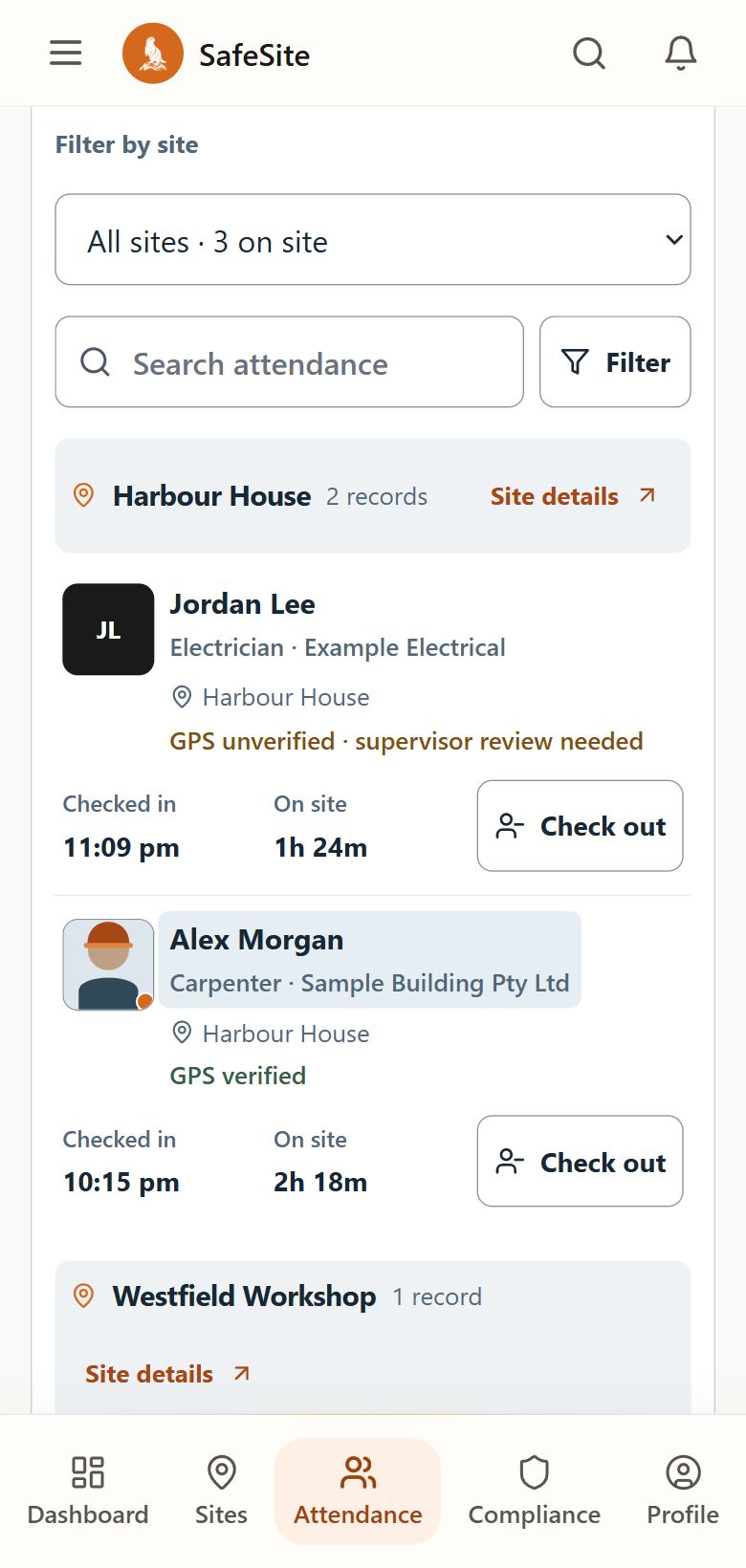
Find open visits by site. Sessions older than 14 hours are reviewed separately from the current headcount.
Site attendanceFollow the person, site and recorded decision when reviewing the day or preparing evidence.
Record contextOpen sessions older than 14 hours are excluded from current headcount. Manual attendance does not create GPS, selfie or device evidence that was not captured.
Missing or unavailable location can be recorded as unverified. It does not categorically block entry or prove exact presence.
04 / Improve
Safety work continues beyond a check-in or signed document. Connect the findings, people and actions that move the work forward.
Responsible site team and office roles
Review documents, licence checks, insurance and upcoming expiries.
Compliance recordsAdd registers for plant, chemicals, scaffolding, competencies and other relevant activities.
Specialist toolsSee SafeSite with your team
Bring your sites, people and handovers. We’ll walk through the tools together.